A homeowner asks ChatGPT for a plumber who does trenchless sewer repair in Plano. Your website has a genuinely good page on trenchless sewer repair in Plano. The assistant never mentions you, and quotes a competitor whose page is worse. What happened? Very often, nothing about your content. Your page loads its key content through JavaScript, the pricing is inside an image, and your robots.txt quietly blocks the assistant's crawler. The AI never read what you wrote.
Your site speaks to homeowners just fine. This checklist teaches it to speak machine as well, so AI systems can find, read, and quote your pages. Google's own line on this is reassuring: there are no special technical requirements for AI features, just the fundamentals done well. The catch, documented in Search Engine Land's technical breakdown of AI optimization, is that AI crawlers are weaker readers than Googlebot: poor JavaScript handling, tight retrieval timeouts, and per-crawler access rules. The ten points below are ordered by impact for a typical contractor site, the WordPress-plus-page-builder kind most trades run.
On This Page
- 1. Let the AI crawlers in
- 2. Serve real HTML, not JavaScript puzzles
- 3. Stay inside the crawler's time budget
- 4. Put key facts in plain text
- 5. Write answer blocks AI can lift
- 6. Structure every page for extraction
- 7. Add FAQ sections to service pages
- 8. Install the schema layer
- 9. Match your website to your profile
- 10. Remove the content traps
- How to check what the AI sees
- FAQ
1. Let The AI Crawlers In
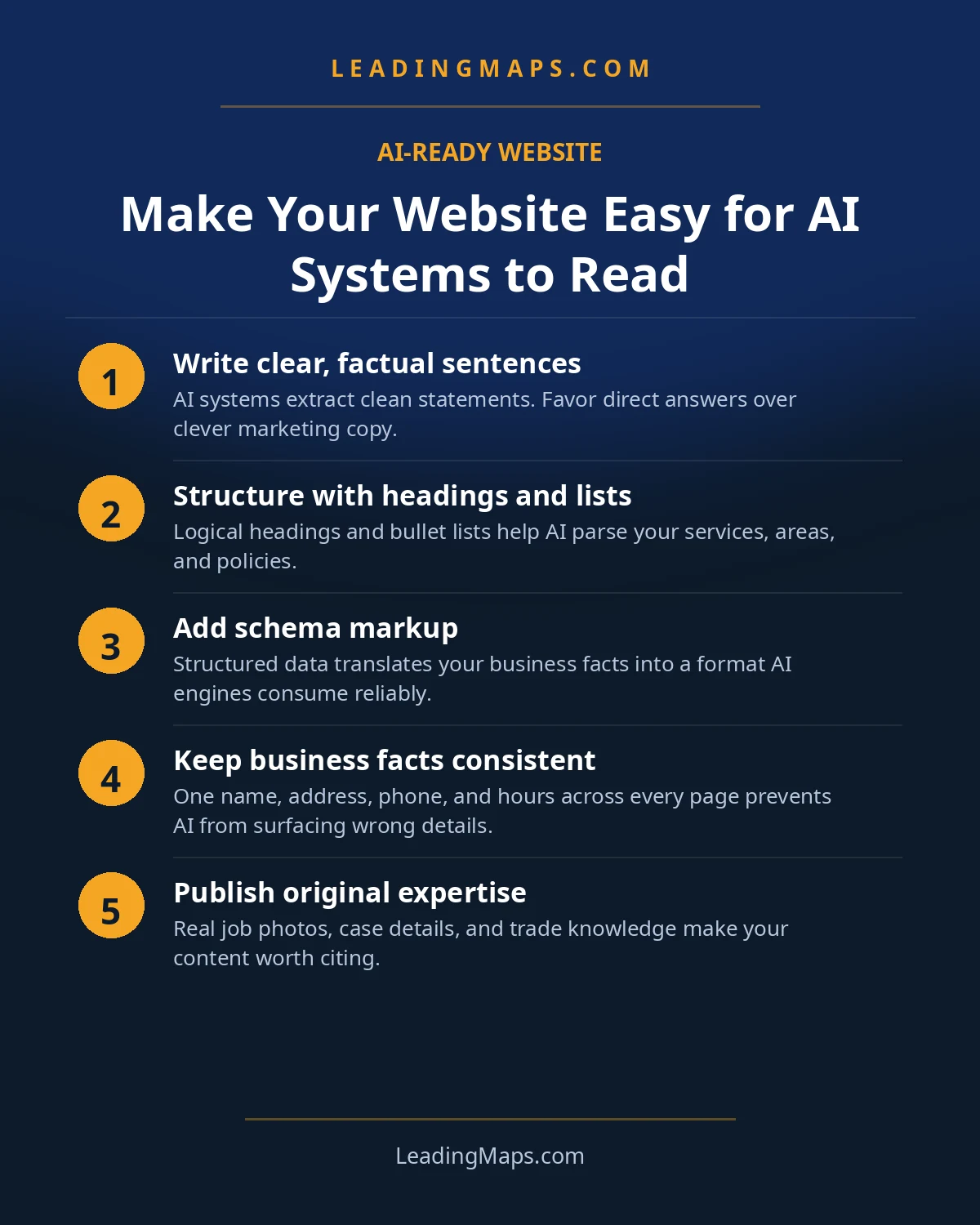
The simplest failure is a locked door. AI assistants send their own crawlers: GPTBot and OAI-SearchBot for ChatGPT, ClaudeBot for Claude, PerplexityBot for Perplexity, plus Google's extended crawlers. Open your robots.txt and check whether any of them are disallowed, either by name or by a blanket rule your security plugin added to "block bots." Many contractor sites block AI crawlers by accident while trying to block scrapers and spam bots. Unless you have a deliberate reason to keep AI systems out, allow them. This is a two-minute fix with an outsized effect: nothing else in this checklist works if the crawler is turned away at the door.
2. Serve Real HTML, Not JavaScript Puzzles
Here is the biggest technical gap between Google and AI search. Googlebot renders JavaScript like a patient adult. AI crawlers, per the Search Engine Land analysis linked above, handle JavaScript poorly and work on retrieval timeouts measured in seconds. If your service pages, pricing, or service-area lists only appear after scripts run, an AI crawler may read a blank page and move on.
The fix is not to rip out your page builder. It is to make sure the critical content, the service description, the areas served, the pricing, the phone number, exists in the raw HTML of the page. The view-source test below shows you how to check in thirty seconds. If the important words are not in the source, they are not in the AI's training meal.
3. Stay Inside The Crawler's Time Budget
Those same short retrieval timeouts mean a slow page does not rank lower with AI systems, it gets skipped. A page that takes six seconds to assemble is a page the crawler may never finish reading. The standard speed work applies double here: compress images, lazy-load below-the-fold media, cut unused plugins, and get off bargain-bin shared hosting if the server response itself is slow. Bonus: this is the same work that converts human visitors, so it pays twice.
4. Put Key Facts In Plain Text
AI systems read text. They do not read your pricing graphic, your service-area map image, or the PDF brochure your last web designer uploaded. Audit your pages for facts trapped in non-text formats:
- Pricing tables as images: rebuild them as real HTML tables.
- Service-area maps with no text list: add the town list as text below the map.
- Hours, phone, license number inside header graphics: move them into real text.
- PDF-only content (price lists, service menus): duplicate the essentials on an HTML page.
The rule is simple: if a fact matters for winning a job, it should be selectable text on the page.
5. Write Answer Blocks AI Can Lift
AI answers are assembled from quotable chunks, and the easiest chunk to quote is a short, direct answer sitting under a question-style heading. On each core service page, add sections like "How much does water heater replacement cost in Austin?" followed by a 40 to 60 word answer in plain language: the range, what moves it, and one sentence about your approach. Homeowner phrasing, not industry phrasing. These blocks do triple duty: they feed AI answers, they feed featured snippets, and they happen to be exactly what a skimming homeowner wants to read.
The length of an answer block that works everywhere: short enough for an AI to quote whole, long enough to actually answer. One per question-style heading, plain homeowner language.
6. Structure Every Page For Extraction
Extraction loves structure. A wall of paragraph text is hard to quote; a page with clear bones is easy. On every service page and town page:
- One H1 with the service and the market ("Water Heater Replacement in Austin").
- H2s as real questions ("How long does a water heater last?"), H3s for the sub-points.
- Tables for comparisons and pricing ("tank vs tankless," "repair vs replace cost ranges").
- Lists for steps, areas served, and what's included in a service visit.
- Short paragraphs. If a paragraph runs past four lines, it is two paragraphs.
This is the same structure good copywriting has always used. AI search just made it load-bearing.
7. Add FAQ Sections To Service Pages
A short FAQ on each service page, four to eight questions a homeowner would actually ask, answered in two to three sentences each. Write them in the customer's words ("Do you offer financing?" not "What payment vehicles are available?"). Mark them up with FAQPage schema and you get extraction-friendly content plus structured data in one move. Keep answers honest and specific to your business; generic answers get generic quotes, which quote someone else.
8. Install The Schema Layer
Structured data is the machine-readable summary of your page: LocalBusiness with the right trade subtype (Plumber, HVACBusiness, Electrician, RoofingContractor), Service entries with areaServed, openingHoursSpecification, geo coordinates, and your reviews. It will not make a weak page win, but it removes all ambiguity about who you are and what you do. One non-negotiable rule from Google: the markup must match the visible content on the page. Markup that claims hours your site does not show is not a shortcut; it is a trust problem.
Validate the markup the way a machine would. Run your key pages through Google's Rich Results Test and the Schema.org validator, then check Search Console's enhancements reports monthly for errors and warnings. The most common contractor failures are markup injected by a plugin that contradicts the page (a plugin's default "Monday to Friday 9 to 5" overriding your real hours), and LocalBusiness markup on pages that describe a different location. Both are silent: the page looks fine to humans while telling machines the wrong story.
9. Match Your Website To Your Profile
AI systems cross-check. When your Google Business Profile says you close at 6 and your website says 7, or the profile lists twelve services and the site mentions four, the system has a conflict to resolve, and resolution usually means trusting neither fully. Run the parity check: hours, phone number, service list, and service areas, identical on the profile and the site. This is the accuracy layer in detail, and our business information accuracy guide covers the full conflict-hunt.
10. Remove The Content Traps
A few common contractor-site features actively hide content from AI readers:
- Chat widgets that cover the page content on load and push the real text out of the crawler's first screen.
- Review widgets that load reviews from a third-party script and show nothing to a bot that does not run it.
- Content behind click-to-reveal tabs that require JavaScript interaction to display.
- Popups and interstitials that intercept the first visit, human or machine.
You do not have to delete these tools. Just make sure none of them is the only place a fact lives.
How To Check What The AI Sees
You can approximate an AI crawler's view of your site in about five minutes, no tools required:
- View-source test: open a service page, view the page source, and search for your key facts (a town name, a price, your phone number). If they are not in the source, a weak crawler does not see them.
- JavaScript-off test: disable JavaScript in your browser and reload the page. What is missing is what the weakest readers miss.
- Robots.txt check: visit yoursite.com/robots.txt and confirm no AI crawler is disallowed.
- Ask the assistants: prompt ChatGPT and Perplexity with a question your best page should answer, and see whether your business appears. Our ChatGPT recommendation playbook has the full testing method.
Most contractor sites fail at least two of these on the first pass. The good news: every fix here is permanent infrastructure. Do it once and every future page inherits it, which is more than you can say for most marketing work.
One more place to watch: Search Console. Google reports how your pages perform in its AI features, which is the closest thing to an official measurement of machine readability you will get. If a page gets impressions in AI Overviews, the machines can read it. If a page you expected to perform gets none while similar pages do, that page has a readability problem worth investigating with the tests above. It is an imperfect signal, since it only covers Google's surfaces, but it is a free one, and it tells you which pages the machines already understand.
Website Readability Questions, Answered.
Almost never a rebuild. Most contractor sites need a retrofit: crawler access fixed, key facts moved into plain HTML, answer blocks added to service pages, and schema installed. If your site is already fast with real HTML content, the work is a weekend, not a project. Rebuilds are for sites that are broken for humans too.
Googlebot is the most sophisticated crawler in existence, with full JavaScript rendering and generous timeouts. AI crawlers are younger and less capable: they handle JavaScript poorly and work on tight retrieval timeouts. A site that depends on scripts to display its content can be perfectly visible to Google and nearly invisible to an AI assistant.
llms.txt is a proposed convention, a markdown file at your site root summarizing your pages for AI systems. It is early days and no major assistant requires it. For a contractor site, the basics in this checklist matter far more. Treat llms.txt as a low-priority experiment, not a foundation.
Yes, more directly than for traditional rankings. AI retrieval systems work on short timeouts, so a slow page risks being skipped entirely rather than merely ranking lower. The same speed work that converts human visitors, compressed images, limited bloat, fast hosting, is the work that keeps your pages inside the AI crawler's time budget.
You do not need a full price list, but some pricing signal helps enormously: flat-rate callout fees, starting-at ranges, or financing notes, in plain HTML. Cost questions are among the most common AI queries, and assistants can only quote businesses that publish something. Vague-but-honest beats a page the AI has nothing to extract.
Is Your Website Readable To AI?
Profile, Maps rankings, citations, reviews, competitors, plus whether AI assistants can read your site and recommend you. A prioritized action plan, free, no pitch.
- AI visibility check, real homeowner prompts across ChatGPT, Perplexity, and AI Overviews, who gets named.
- Proposal scorecard, what your current or prospective agency should be doing, item by item.
- Competitor gap analysis, what the top 3 in your market are doing that you're not.
Get My Free SEO Audit
Delivered within 48 hours. Yours to keep.