Most contractor websites have a schema problem, and most owners have no idea. A plugin outputs one version of the business. The theme outputs another. The name in the code does not match the name on the profile, the hours do not match the footer, and the whole thing quietly tells Google and every AI assistant that this business cannot quite be trusted.
LocalBusiness schema is structured data, code on your pages that states facts about your business in a format machines read: your name, phone, hours, services, and areas served. It changes nothing visitors see. It changes everything machines know with certainty. This guide covers which subtype your trade should use, the properties that matter, how service-area businesses should handle addresses, the five mistakes that break implementations, and a validation workflow that catches errors before they cost you.
On This Page
- What LocalBusiness schema actually does
- Picking the right subtype for your trade
- The properties that matter for trades
- Service-area businesses: areaServed, not street address
- A working JSON-LD example
- The 5 mistakes that break schema
- The validation workflow
- The AI-search layer: schema is AEO infrastructure
- FAQ
What LocalBusiness Schema Actually Does
Your homepage tells humans who you are. Schema tells machines, in a vocabulary they all share. When Google's crawler reads a LocalBusiness block, it does not have to guess that "Apex Plumbing Co." near a phone number is a business name; the code says so explicitly, with a defined type and defined properties. Google's own documentation describes how this structured data helps search understand local business pages.
The practical effect: fewer ambiguities for Google to resolve, cleaner entity data for the knowledge graph, and a verified set of facts AI assistants can cite when recommending businesses. Schema will not single-handedly move you from position eight to position two. But inconsistent or missing schema is a quiet drag on everything else you do, because every system that recommends businesses starts by verifying them.
Picking The Right Subtype For Your Trade
LocalBusiness is the parent type. Under it sits HomeAndConstructionBusiness, and under that, the subtypes built for trades. Always use the most specific type that honestly describes you:
- Plumbers use
Plumber. Drain cleaning, water heaters, sewer work, all of it lives under this type. - HVAC companies use
HVACBusiness. Heating, cooling, and indoor air quality in one type. - Roofers use
RoofingContractor. Replacement, repair, and storm work. - Electricians use
Electrician. Panels, rewiring, EV chargers, the full trade. - Multi-trade and general contractors use
HomeAndConstructionBusiness, orGeneralContractorwhere it fits. Chimney sweeps, foundation repair, and other specialties without a dedicated subtype fall back here too.
If no specific subtype fits your trade, fall back to HomeAndConstructionBusiness, or LocalBusiness as a last resort. A correct general type beats a wrong specific one: marking a pressure-washing company as a Plumber creates exactly the kind of entity confusion schema is supposed to eliminate.
The Properties That Matter For Trades
You do not need every property schema.org defines. These are the ones that carry weight for a home-service business:
- name: your exact business name, character for character as it appears on your Google Business Profile. No keyword stuffing, no city appended.
- telephone: the number customers actually call. If you use call tracking, keep the schema number consistent with what Google sees elsewhere, and document the setup.
- url: your canonical homepage URL.
- image: a real photo URL, ideally a branded truck or storefront, not a stock image.
- priceRange: a simple indicator like "$$". Homeowners and machines both read it.
- openingHoursSpecification: dayOfWeek plus opens and closes in 24-hour format. This is where emergency-hours markup lives (see the FAQ).
- geo: latitude and longitude, only if you have a real public storefront. Service-area businesses that hide their address should skip it.
- sameAs: links to your Facebook, Yelp, BBB, and other profiles. These are entity-confirmation signals: they tell machines the profiles all describe the same business.
Service-Area Businesses: AreaServed, Not Street Address
This is the distinction most trade sites get wrong. If your Google Business Profile hides your address because you serve customers at their locations, your schema must match: omit the street address and use areaServed to declare where you work. Publishing a street address in code that you hide everywhere else is exactly the inconsistency that erodes machine trust.
areaServed accepts cities, states, or geographic shapes. For most contractors, a list of cities is clearest:
- One
areaServedentry per city you genuinely serve, matching your profile's service areas. - Optionally, a
GeoCirclewith a midpoint and radius if you truly serve a radius rather than named cities. - Never list cities you do not serve. Schema is a statement of fact, and inflated service areas are as visible to Google as inflated anything else.
Put areaServed on your homepage schema and repeat the relevant city on each service area page. Consistency between the profile, the pages, and the code is the whole game.
A Working JSON-LD Example
Google recommends JSON-LD, placed in the page head or body. Here is a complete, valid block for a service-area plumbing company. Swap in your own details; keep the structure:
<script type="application/ld+json">
{
  "@context": "https://schema.org",
  "@type": "Plumber",
  "@id": "https://apexplumbing.com/#business",
  "name": "Apex Plumbing Co.",
  "url": "https://apexplumbing.com/",
  "telephone": "+1-555-123-4567",
  "image": "https://apexplumbing.com/images/service-truck.jpg",
  "priceRange": "$$",
  "openingHoursSpecification": [{
    "@type": "OpeningHoursSpecification",
    "dayOfWeek": ["Monday","Tuesday","Wednesday",
      "Thursday","Friday"],
    "opens": "07:00",
    "closes": "19:00"
  }],
  "areaServed": [
    {"@type": "City", "name": "Plano, TX"},
    {"@type": "City", "name": "Frisco, TX"},
    {"@type": "City", "name": "Allen, TX"}
  ],
  "sameAs": [
    "https://www.facebook.com/apexplumbing",
    "https://www.yelp.com/biz/apex-plumbing-plano"
  ]
}
</script>
Note the @id: it gives your business a permanent identifier other pages can reference. On location or service pages, you can point back to this @id instead of repeating the whole block, which keeps one source of truth instead of five slightly different copies.
One LocalBusiness graph per URL. Two plugins outputting slightly different business data is the most common way valid schema silently breaks, and it is invisible until you validate.
The 5 Mistakes That Break Schema
- Two schemas fighting. Your SEO plugin outputs LocalBusiness; your theme outputs its own. Google sees conflicting names, phones, or hours and trusts neither. Audit with the validator, pick one source, and disable the other.
- NAP drift. The phone in your schema differs from the phone in your footer and your profile. Machines cross-check; every mismatch costs confidence. Lock one format and use it everywhere, as our contractor checklist prescribes.
- Hours split-brain. Holiday hours on the profile, old hours in schema, different hours in the footer. Hours must be generated from one source of truth and match everywhere.
- Keyword-stuffed name. "Apex Plumbing Co. | Best Plumber Plano TX 24/7" in the name field. Google explicitly warns against this. The name field holds your real business name, nothing else.
- Schema on the wrong pages. Identical LocalBusiness blocks pasted on every blog post, or an Organization block on the homepage with no trade subtype anywhere. Put Organization on the homepage and the trade subtype on your location and service pages, linked by @id.
The Validation Workflow
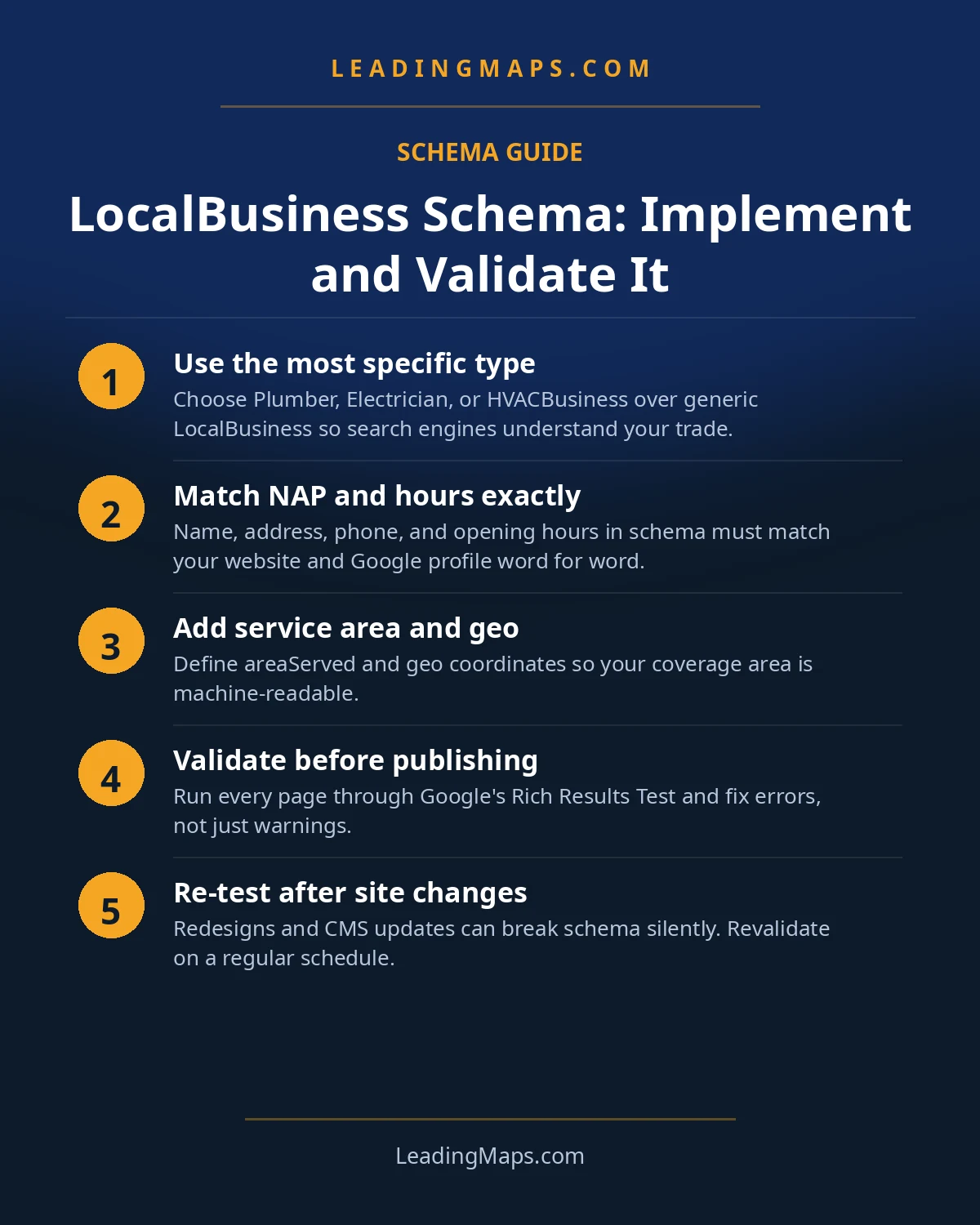
Validation is a three-step pass, and it takes about ten minutes:
- Step 1: Google's Rich Results Test. Enter your URL. Fix every error; review every warning. This is what Google sees.
- Step 2: the Schema.org validator. Paste your markup. This checks the code itself against the vocabulary, catching type and property mistakes Google's test may not flag.
- Step 3: Search Console after deploy. Use URL Inspection on the changed pages, then watch the Enhancements section over the following weeks for new errors as Google recrawls.
Then put it on a schedule: re-validate after every plugin or theme update, after any change to hours, phone, or service areas, and quarterly regardless. Schema rots silently; the sites that keep it valid are the sites machines keep trusting.
The AI-Search Layer: Schema Is AEO Infrastructure
No page in the top results connects schema to AI search, which is strange, because structured data is the most direct input you have into AI-generated local recommendations. When ChatGPT, Gemini, or Perplexity answers "who is a good plumber in Plano," it verifies candidates against machine-readable facts: name, trade type, hours, service area, reviews. Valid, specific, consistent schema is you handing the assistant a verified dossier on your business.
Think of it as AEO infrastructure: invisible, unglamorous, and load-bearing. Every property in this guide, the precise subtype, the honest areaServed list, the matching hours, is a fact an AI system can state about you with confidence. Businesses with clean structured data get recommended; businesses with conflicting or missing data get skipped, because no assistant risks its credibility on unverifiable claims. The professional version, testing real homeowner prompts across AI platforms and closing the gaps, is our AEO and LLM optimization service. Start with the markup in this guide; it is the foundation everything else builds on. For how homeowners actually find contractors through AI, read how to get recommended by ChatGPT.
Schema Questions, Answered.
Use the most specific subtype available: Plumber for plumbing companies, Electrician for electricians, HVACBusiness for HVAC, and RoofingContractor for roofers. All sit under HomeAndConstructionBusiness in the schema.org hierarchy. If no specific subtype fits your trade, fall back to HomeAndConstructionBusiness, or LocalBusiness as a last resort.
No. If your Google Business Profile hides your address because customers come to you, your schema should match: omit the street address and use areaServed to list the cities or regions you serve. Publishing an address you hide elsewhere creates the exact inconsistency that erodes machine trust in your business data.
Use openingHoursSpecification with opens 00:00 and closes 23:59 for all seven days to represent 24/7 availability. Only do this if someone genuinely answers around the clock; false 24-hour claims create bad reviews when nobody picks up. Keep the schema hours identical to your profile hours and your website footer.
Not directly. Schema does not change your map-pack position by itself. What it does is remove ambiguity: Google and AI assistants know with certainty what you do, where you work, and when you are open. That certainty supports the relevance signals that do influence rankings, and it is essential for appearing in AI-generated answers.
Validate it every time you change business details, hours, or service areas, and re-check quarterly. Plugin updates are the silent killer: an update can start outputting a second, conflicting LocalBusiness block overnight. A quarterly pass through the Rich Results Test plus a glance at Search Console enhancements catches drift before it costs you.
Schema Google Trusts. Answers AI Can Cite.
We validate your structured data, flag plugin conflicts and NAP drift, and test whether AI assistants can verify and recommend your business, benchmarked against the top 3 contractors in your market. Free, no pitch.
- Schema validation, subtype accuracy, property completeness, and conflicting markup, all checked.
- AI visibility check, real homeowner prompts across ChatGPT, Perplexity, and AI Overviews, who gets named.
- Competitor gap analysis, what the top 3 in your market are doing that you're not.
Get My Free SEO Audit
Delivered within 48 hours. Yours to keep.