There is a special kind of frustration in watching your traffic chart climb while your call log stays flat. The agency report says "up 40% in organic sessions," and you are sitting there thinking, "great, where are the jobs?" You are not imagining the gap, and you are not the first contractor to feel it. Traffic is not leads. Traffic is people, and people show up with different intentions, on different devices, in different states of panic. This guide is the teardown: the trade-specific reasons local SEO traffic fails to convert, in priority order, with the cheapest fixes first.
One rule before we start: nobody can hand you a conversion benchmark that applies to your business. Emergency plumbers, roofers, and electricians convert differently, every market differs, and any "typical 3 to 8%" figure floating around the internet is someone else's client data. Instead, this guide teaches you to compute your own number and watch it move. That number is the only benchmark that matters.
On This Page
- The 2-minute diagnosis
- Cause 1: you rank for learners, not buyers
- Cause 2: the phone number is hiding
- Cause 3: the quote form asks for a biography
- Cause 4: the site is too slow for a panicked thumb
- Cause 5: the 5-second hero test
- Compute your real conversion number
- The zero-click defense and the AI layer
- FAQ
The 2-Minute Diagnosis
Before changing anything, prove what kind of traffic you actually have. Open Google Search Console, go to Performance, and look at the Queries tab for the last three months. Google's Performance report documentation explains the dimensions, but the exercise is simple: scan the top queries by impressions and ask of each one, "would a ready-to-hire homeowner type this?" Queries with a city name, "near me," "emergency," "repair," or "replacement" are buyers. Queries starting with "how to," "DIY," "cost of," or "what causes" are learners, and learners do not call.
If the buyers are there and the leads are not, the problem is on your site (causes 2 through 5). If the learners dominate, the problem is what you rank for (cause 1), and no amount of button color will fix it.
Cause 1: You Rank For Learners, Not Buyers
This is the most common and most expensive cause, and the trade version is brutal. A water-restoration company ranking for "how to dry a wet carpet at home" gets traffic from DIYers who will never hire them. A plumber ranking for "how to fix a leaking water heater" gets hobbyists and landlords troubleshooting at midnight. An HVAC company ranking for "why is my ac blowing warm air" gets curiosity, not calls. Meanwhile the money queries, "emergency plumber [city]," "ac repair [city]," "roof replacement quote [city]," go to whoever bothered to build pages for them.
The fix is not more content. It is buyer-intent content. Before you publish anything, check the query in Search Console: does it carry local, transactional intent, or informational intent? Money pages target buyer queries with service pages and town pages built around "service + city." Informational content is fine as a side project, but it should never be the engine. If you wrote the blog posts and skipped the service pages, you built the engine backwards.
Cause 2: The Phone Number Is Hiding
Open your site on your phone right now. Is there a tap-to-call button visible without scrolling? Most contractor sites fail this test. The number sits in the footer, or in the header in a font too small to tap, or behind a "Contact" page that takes three clicks to reach. Emergency searches happen on phones, often one-handed, often at midnight, and a homeowner with water pouring through a ceiling will not hunt for your number. They will hit back and call the next result.
- Put a tap-to-call number in the mobile header, visible on every page without scrolling.
- Add a sticky call button on mobile that follows the visitor down the page.
- Use tel: links on every phone number, so one tap dials.
Cause 3: The Quote Form Asks For A Biography
Planned-job trades live and die by the estimate form, and most of them are interrogations. Twelve fields, required uploads, "how did you hear about us" dropdowns, and a CAPTCHA that hates humans. Every field beyond the essentials costs you leads. A homeowner with a burst pipe will not write you a biography. Four fields: name, phone number, service needed, zip code. That is the form.
Qualify on the callback, not the form. When you already have their name and number, you can ask anything. Roofers and remodelers can add one optional field for project details, clearly marked optional, and that is the ceiling. Short form, fast callback, every time.
Cause 4: The Site Is Too Slow For A Panicked Thumb
Most emergency searches happen on a phone, often on a weak connection, by someone who is already stressed. A heavy homepage with uncompressed hero images and three chat widgets will not get a fair trial. It gets the back button. Compress your images, strip the bloat, and test with PageSpeed Insights until your key pages load in under three seconds on a phone. Speed is not a technical nicety for trades. It is the difference between your number and the next listing's.
Cause 5: The 5-Second Hero Test
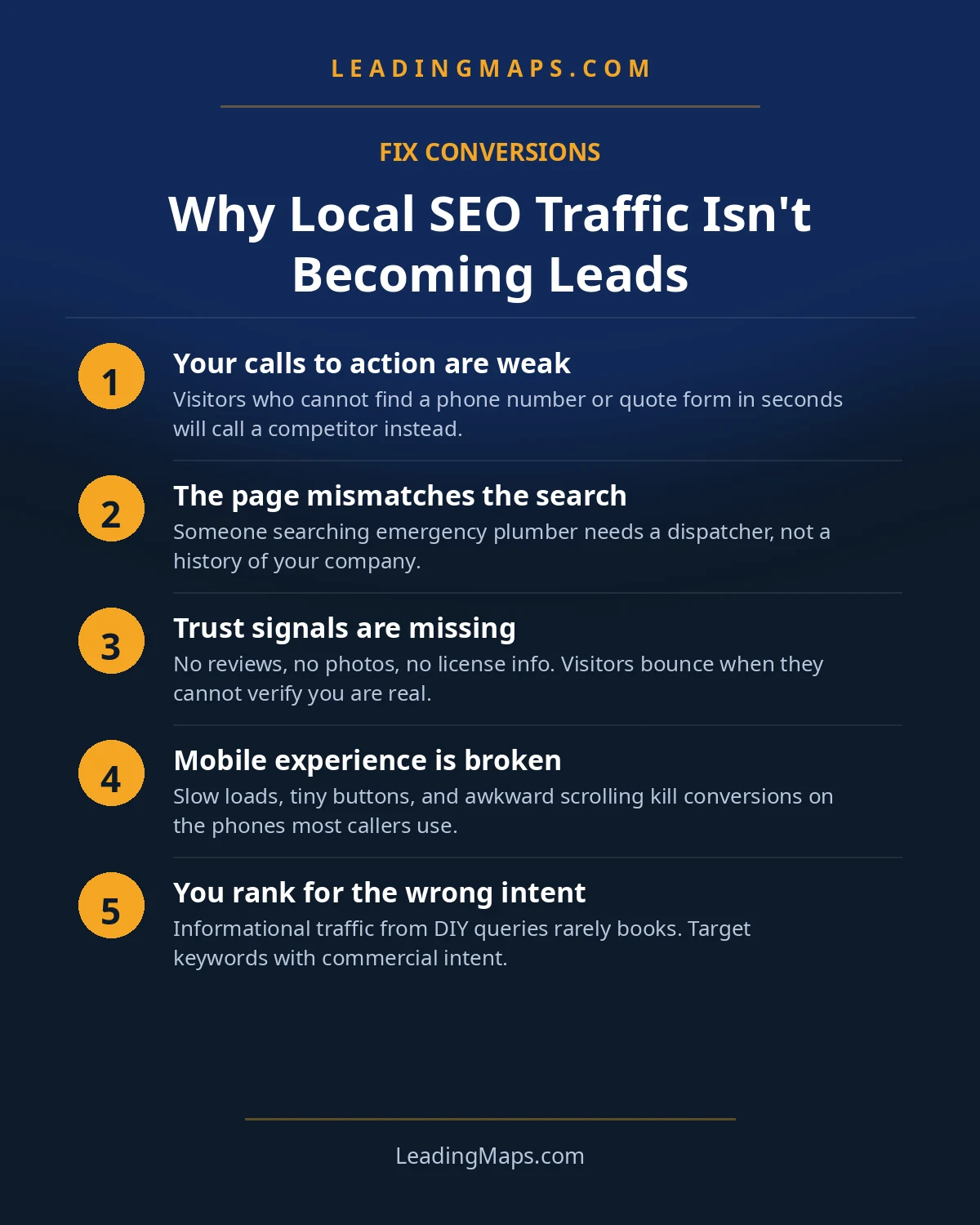
Show your homepage to someone who has never seen it, for five seconds, then ask: what does this company do, where, and what am I supposed to do next? If they cannot answer all three, the hero is failing. The fix is unglamorous: a headline that says the trade and the town ("Emergency Plumber in Austin"), one line of proof (reviews, years, jobs), and one obvious action (call now / get a quote). Everything else is decoration. Decorations do not ring.
Compute Your Real Conversion Number
Forget borrowed benchmarks. Your visitor-to-lead rate is qualified leads divided by website visitors, tracked monthly. Qualified leads come from your call log and form inbox, with spam, wrong numbers, and out-of-area jobs removed. Visitors come from GA4. Compute it, write it down, and watch the trend.
Segment it once and the number gets twice as useful: emergency calls vs. estimate requests. A plumber might convert emergency traffic at a high rate and estimate traffic at a low one, and that split tells you exactly where to spend your next hour of effort. The number that matters is your trend line. If it rises while you fix the leaks above, your conversion work is working. If it does not move after 90 days of real fixes, read our honest timeline guide to tell the difference between "not working" and "not working yet."
The Zero-Click Defense And The AI Layer
There is a newer cause, and it is getting worse. AI Overviews now answer many money queries directly on the results page, and studies have documented steep drops in organic click-through rates when they appear. Google now gives you a window into this: the Generative AI performance report in Search Console, rolled out to all sites worldwide in August 2026, shows which of your pages appear inside AI answers. If your positions hold steady but clicks fall on money queries, AI answers are absorbing the traffic, and no website redesign will bring it back.
The defense is to stop fighting for the click and start winning the call where it now happens. For trades, a huge share of conversions already happen on Google itself: the homeowner taps the call button on your listing without ever visiting your site. Treat the listing as the landing page. Keep the call button enabled, hours current, services complete, and Q&A stocked with the questions buyers ask. The call that starts on Google is worth exactly as much as one that starts on your site.
And play offense on the AI side too. Assistants quote businesses whose content is structured to be quoted: clear Q&A sections, LocalBusiness and FAQPage schema marking up your facts, and review text that mentions real work. You want the assistant quoting you, not replacing you. Our AI search guide covers the full playbook, and our AEO and LLM optimization service runs it as a monthly discipline.
Conversion Questions, Answered.
Usually an intent mismatch: you rank for informational queries like 'how to fix a leaking water heater' while buyer queries like 'emergency plumber [city]' go to competitors. Open Search Console, check your Queries tab, and compare what you rank for against what a ready-to-hire homeowner would type. Then fix the cheapest leaks: click-to-call, a four-field form, and mobile speed.
There is no honest universal number, because emergency plumbers and roofers convert differently and every market differs. Compute your own: qualified leads divided by website visitors, tracked monthly in GA4 plus your call log. The number that matters is your trend. If it rises while you fix the leaks in this guide, your conversion work is working.
Sometimes. If your positions hold steady but click-through rates fall on money queries, AI answers are likely absorbing the clicks. Defend revenue, not traffic: make your Google listing itself convert, with the call button, current hours, and Q&A doing the selling. The call that starts on Google is worth exactly as much as one that starts on your site.
Four: name, phone number, service needed, and zip code. Every field beyond that costs you leads, because a homeowner with a burst pipe will not write you a biography. Ask qualifying questions on the callback instead, when you already have their attention and their number. Planned-job trades can add one optional field for project details.
Yes, especially on mobile, where most emergency searches happen. A panicked homeowner with a flooded basement will not wait for a heavy homepage to load; they tap back and call the next listing. Compress your images, strip the bloat, and test with PageSpeed Insights until your key pages load in under three seconds on a phone.
Traffic Is Up, But Leads Are Flat?
Intent mismatch in your queries, conversion gaps on your site, competitors, plus whether AI assistants quote you or replace you. A prioritized action plan, free, no pitch.
- AI visibility check, real homeowner prompts across ChatGPT, Perplexity, and AI Overviews, who gets named.
- Proposal scorecard, what your current or prospective agency should be doing, item by item.
- Competitor gap analysis, what the top 3 in your market are doing that you're not.
Get My Free SEO Audit
Delivered within 48 hours. Yours to keep.