A homeowner comparing two plumbers sees the same thing in both cases: trucks, techs, and finished work. What they do not see is that one contractor's photo gallery is a 40-megabyte anchor dragging down every page, while the other's loads in a blink and quietly feeds Google's understanding of who does what, where. Both businesses did the same jobs. Only one made the photos work for them.
Image optimization for local SEO is two jobs wearing one name. The first is making your images understandable to search engines: filenames, alt text, and structured data that say "water heater install in Round Rock, done by real people." The second is making them light: compression, modern formats, and responsive sizes that keep your site fast on a phone in a driveway. This guide covers both, written for the trades, with the AI-search layer that connects them. Google's own image SEO best practices cover the fundamentals; this is how they apply to a contracting business.
On This Page
Why Images Matter Twice For Trades
Most businesses can treat images as decoration. Contractors cannot. Your photos are the product sample. Nobody can inspect a roof replacement or a rewire before buying, so the before-and-afters, the branded truck in the driveway, and the uniformed tech at the panel do the selling that a showroom would do. That is job one.
Job two is that every one of those selling images is also a file on your website, and most contractor sites serve them straight off a phone camera at full resolution: 4 to 8 MB per photo, 30 photos per gallery page. On mobile, which is where emergency searches happen, that page loads like a truck stuck in mud. Image weight is the single most common speed problem on trade websites, which makes image optimization the highest-ROI performance work you can do. Our Core Web Vitals guide for local businesses ranks every speed fix by impact, and the image pipeline sits at the top.
Every image on a contractor site has to do two jobs: convince the homeowner, and help search engines understand the work. Optimizing handles both at once.
Shoot Real Job Photos, Not Stock
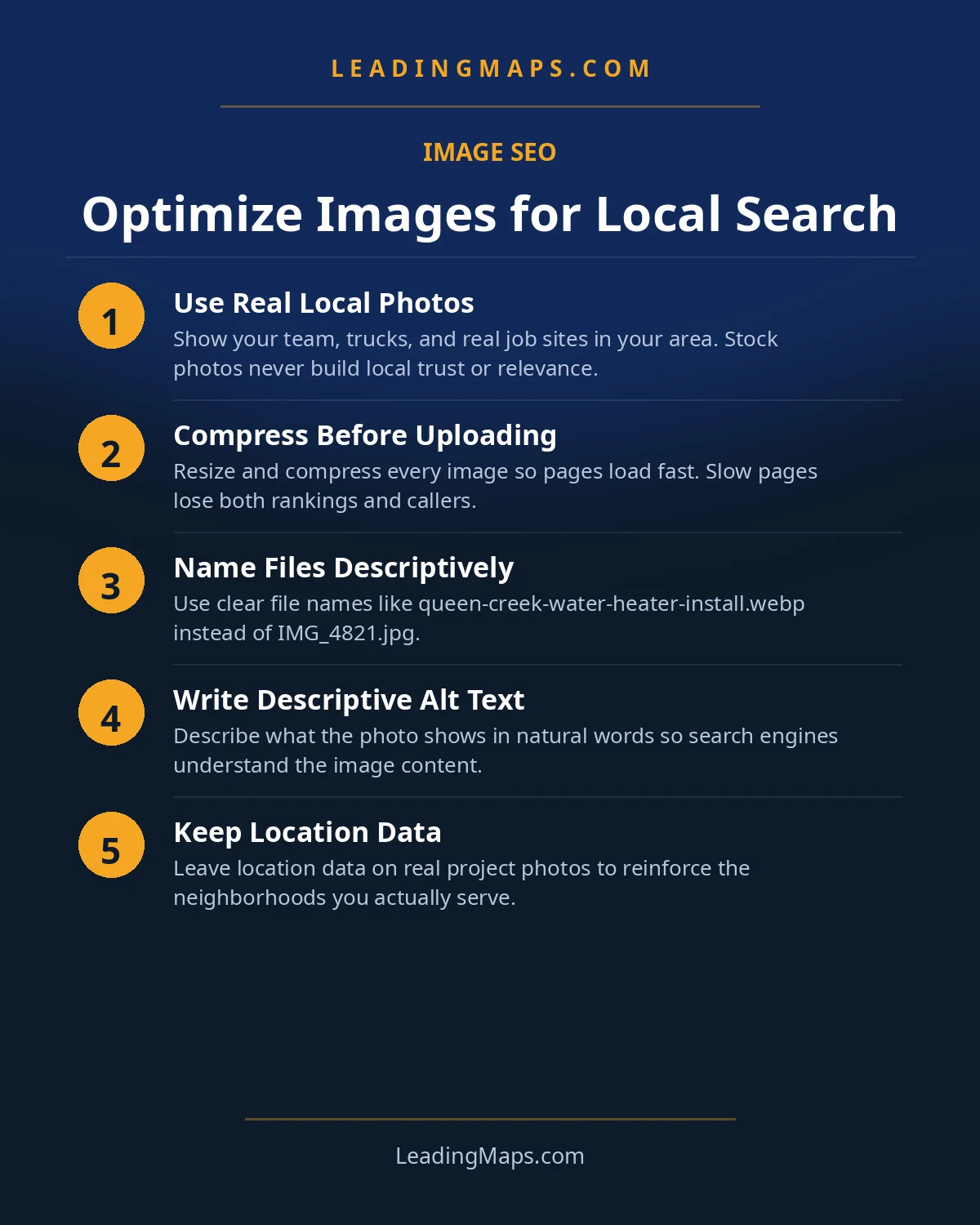
Before any technical step, the most important image decision is what you point the camera at. Stock photos of grinning models holding wrenches do nothing for trust and nothing for local relevance. Real job documentation does both. Make photo-taking part of the job closeout, not an afterthought:
- Before, during, and after. Three stages of every job tell a story stock never can.
- Tech and truck in frame. Branded vehicles and uniforms make photos unmistakably yours.
- The problem, close up. Corroded fittings, cracked heat exchangers, lifted shingles: proof you diagnose, not just install.
- Wide shots with context. The house, the street, the recognizable neighborhood: this is local proof AI systems and humans both read.
One habit makes this sustainable: the tech's phone, thirty seconds, same three shots per job, uploaded to a shared folder weekly. No production value needed. Authenticity beats polish, for homeowners and for algorithms.
Filenames And Alt Text That Say What The Job Was
Search engines cannot see pixels the way you do, so the words around an image carry the meaning. For a trades site, the formula is simple: say what the image shows, where the work happened, in plain language.
- Rename every file before upload.
IMG_4829.jpgbecomesroof-replacement-austin-tx.jpgorac-install-round-rock.jpg. Hyphens between words. - Write alt text that describes the scene: "Technician installing a new AC condenser on a home in Round Rock, Texas." Plain, specific, honest.
- Do not keyword-stuff. "Plumber Austin best plumber emergency plumber" in alt text helps nothing and breaks screen readers.
- Match images to pages. Water heater photos belong on the water heater page, with captions and surrounding copy about water heaters in that town.
- Skip geotagging EXIF data. Location context should come from filenames, alt text, and page copy. Upload through your profile platform for business listings.
The surrounding text matters as much as the alt tag. A photo of a completed panel upgrade sitting next to a paragraph about panel upgrades in that specific city gives the image full local context. This is the same "surrounding content" principle in Google's image guidelines, applied to a gallery page that actually reads like a job log.
The Compression Pipeline For Gallery-Heavy Sites
This is where the speed half of the job happens. Contractor sites are image-heavy by nature, which means the compression pipeline pays off more for you than for almost any other business type. Set it up once and it runs on every upload:
- Convert to WebP. Same visual quality as JPEG or PNG at roughly a third to half the file size. Most WordPress hosts and image plugins handle this automatically.
- Serve responsive sizes. A phone should not download the 2400-pixel desktop version. Use srcset or your CMS's responsive image handling so each device gets what it needs.
- Resize before uploading. Nobody needs a 6000-pixel-wide hero image. Cap uploads at the largest size your site actually displays.
- Lazy-load below the fold. Gallery images lower on the page should load as the visitor scrolls, not all at once on arrival.
- Test with PageSpeed Insights. Run your heaviest gallery page before and after. The image savings show up immediately in the largest contentful paint score.
For most trades sites, this pipeline alone fixes the largest performance problem on the site. Bigger image files mean longer load times, and longer load times mean a homeowner with a burst pipe taps the back button and calls whoever loaded first.
Your Profile Photo Strategy
Your Google Business Profile is the other half of image SEO, and it works on the same principle: real, recent, complete. Photos on your profile show up in the map pack and on Maps, often before a homeowner ever sees your website. Treat it as a monthly habit, not a one-time setup, and see our profile optimization checklist for the full field-by-field version.
- Fill every category: logo, cover, team, work in progress, completed jobs, trucks and equipment.
- Start with 20+, then add monthly. Recency signals an active, operating business.
- Upload through the platform. Phone upload through the profile app keeps metadata handled correctly.
- Seasonal relevance wins: AC installs in summer, furnace work in winter, storm damage after storms. Timely photos match timely searches.
Profile photos also feed your Google Business Profile optimization work more broadly: posts, Q&A, and review replies all perform better when the visual side of the profile looks like an active trade business instead of an empty listing.
The AI-Search Layer: Multimodal Reads Your Photos
Here is the part no image guide covers. AI search is increasingly multimodal: Google Lens identifies objects in photos, AI Overviews pull image context into answers, and vision-capable assistants interpret pictures alongside text. When these systems look at your photos, they use exactly the signals above: filenames, alt text, surrounding copy, and structured data.
That makes well-documented job photos an AI-search asset. A homeowner asking an assistant about water heater replacement gets recommended businesses the system can verify, and a library of clearly described, location-tagged installation photos is verifiable evidence of real work. The technical bridge is ImageObject structured data with a proper content location, layered under the AEO and LLM optimization work that makes your whole business legible to AI. The photographers among your techs are, improbably, now doing AI SEO.
Mistakes That Cost Contractors Twice
- Full-resolution phone uploads. The number one speed killer on trade sites. Every upload should pass through compression before it reaches the page.
- Stock photos on the homepage hero. Homeowners recognize them instantly, and they carry zero local relevance.
- One giant slider with ten 5 MB images. The classic contractor homepage mistake. One optimized hero image outperforms a ten-slide show that never finishes loading.
- Alt text copied from the filename, keyword-stuffed. Alt text is read by screen readers and by search engines. Write for a human describing the photo over the phone.
- No new photos for years. A profile with 2019 photos tells both customers and algorithms the business may not be active anymore.
The thread connecting all of these: images are content, not decoration. Treat every photo like a small piece of proof, labeled, compressed, and placed where it supports the page it sits on, and the speed and relevance gains compound across the whole site.
Image Questions, Answered.
Yes, but modestly. Alt text helps search engines understand what an image shows, which supports the page's relevance for local queries when it describes real work and locations plainly. It also feeds visual AI search. Keep it descriptive and honest; keyword-stuffed alt text helps nothing and reads badly in screen readers.
It is not necessary and can backfire. Location context on your website photos should come from filenames, alt text, and the copy around the image. Stripping EXIF data at upload is the cleaner workflow. For your Google Business Profile, upload photos through the platform itself, where location metadata is handled properly.
WebP for photos and graphics in nearly all cases. It delivers the same visual quality as JPEG or PNG at roughly a third to half the file size, which directly improves load speed on gallery-heavy trade sites. Use responsive image sizes so phones download smaller files than desktops. Keep a JPEG fallback only if your audience uses very old browsers.
Aim for at least 20 to start, then add new ones monthly. Cover every category: team, trucks, work in progress, completed jobs, and your office or shop if customers visit. Recency matters as much as quantity, since regular uploads signal an active, operating business. Real job photos always outperform stock.
Yes. Multimodal AI systems from Google, ChatGPT, and Gemini increasingly interpret images, and they rely on the same signals that power classic image search: descriptive filenames, honest alt text, surrounding copy, and structured data. Well-documented job photos give AI systems verifiable evidence of your real work, which supports being recommended.
Photos Optimized But Still Not In The Top 3?
Profile, Maps rankings, citations, reviews, competitors, plus whether AI assistants recommend you. A prioritized action plan, free, no pitch.
- AI visibility check, real homeowner prompts across ChatGPT, Perplexity, and AI Overviews, who gets named.
- Proposal scorecard, what your current or prospective agency should be doing, item by item.
- Competitor gap analysis, what the top 3 in your market are doing that you're not.
Get My Free SEO Audit
Delivered within 48 hours. Yours to keep.