Speed is the only part of SEO the customer feels directly. Nobody notices your schema markup or admires your citation consistency. But everyone has felt a page that will not load, and everyone has hit the back button because of it. For contractors, that back button is the most expensive click on the internet: a homeowner with an emergency, a phone in one hand, and three tabs open of plumbers who all promised 24/7 service.
Core Web Vitals are Google's name for the three measurements of that experience. They are a real ranking signal, but for a local trade business the rankings are almost beside the point: a slow site leaks calls at the exact moment intent is highest. This guide explains the metrics in plain English, names the actual culprits on contractor sites, and orders the fixes by impact so you start where it counts. Google's own Web Vitals documentation is the reference; this is the field application.
On This Page
The Three Metrics In Plain English
Forget the acronyms for a moment. The three Core Web Vitals each answer one question a visitor asks:
- Largest Contentful Paint (LCP): "How long until I can see the page?" It measures when the biggest visible element, usually the hero image or headline block, finishes loading. Pass is under 2.5 seconds.
- Interaction to Next Paint (INP): "How long until the page reacts when I tap?" It measures responsiveness across the page's lifetime. Pass is under 200 milliseconds.
- Cumulative Layout Shift (CLS): "Does the page jump around while it loads?" It measures visual stability. Pass is under 0.1, meaning effectively no unexpected movement.
These come from real user data, aggregated from actual Chrome visitors, not a lab test. So your scores reflect what a homeowner on a mid-range phone experiences, which is the honest version and the one that matters. The tests you run in PageSpeed Insights show both: field data from real users, and lab diagnostics telling you what to fix.
Why Speed Costs Contractors Calls, Not Just Rankings
Yes, Core Web Vitals are a confirmed ranking signal. No, they are not the reason most contractors should care. Proximity, relevance, reviews, and citations move local rankings far more than shaving half a second off load time. The speed argument for trades is conversion, and it is brutal:
- Emergency searches happen on mobile, often on poor connections, at the worst possible moment. A page that takes six seconds to load on one bar of signal loses to a page that takes two.
- The homeowner is comparison shopping in tabs. Slow sites do not get patience, they get closed.
- Everything you rank for is wasted if the visitor bounces before the phone number renders.
Think of speed work as protecting the rankings you already earned. Your profile and citations won the click; the site has to survive the three seconds after it.
Largest Contentful Paint passes under 2.5 seconds. Most contractor sites we audit fail on the homepage hero alone, before a single gallery image loads.
The Real Culprits On Contractor Sites
Generic speed guides list generic causes. Contractor sites have a specific performance profile, and the ranking of culprits is different from a blog or a SaaS landing page. From most to least damaging:
- Uncompressed job photos. The before-and-after galleries that win trust are uploaded straight from phones at 4 to 8 MB each. Thirty photos is a quarter gigabyte of page. This is the number one speed killer on trade sites, by distance.
- Homepage sliders. Ten full-screen slides, all loading at once, most never viewed past the first. One optimized hero image beats every slider.
- Page builders. Drag-and-drop builders ship heavy code for every element they render. Fine for editing convenience, expensive for load time.
- Chat widgets and popups. Third-party scripts that load before your content does, and fight for the same milliseconds.
- Quote and booking plugins. Useful, but often the heaviest scripts on the page, loading on every page even when the form only appears on one.
- Stacked tracking scripts. Analytics, call tracking, ad pixels, heatmaps, each one a tax. Audit which ones you actually look at.
- Cheap shared hosting. The foundation. A slow server makes every other fix a rounding error.
Most contractor sites we see are slow because of the first three items combined. The good news: those are also the cheapest to fix.
Fixes Ranked By Impact
Start at the top. Each fix compounds on the one before it, so do not begin with the fun technical stuff while the images are still 8 MB.
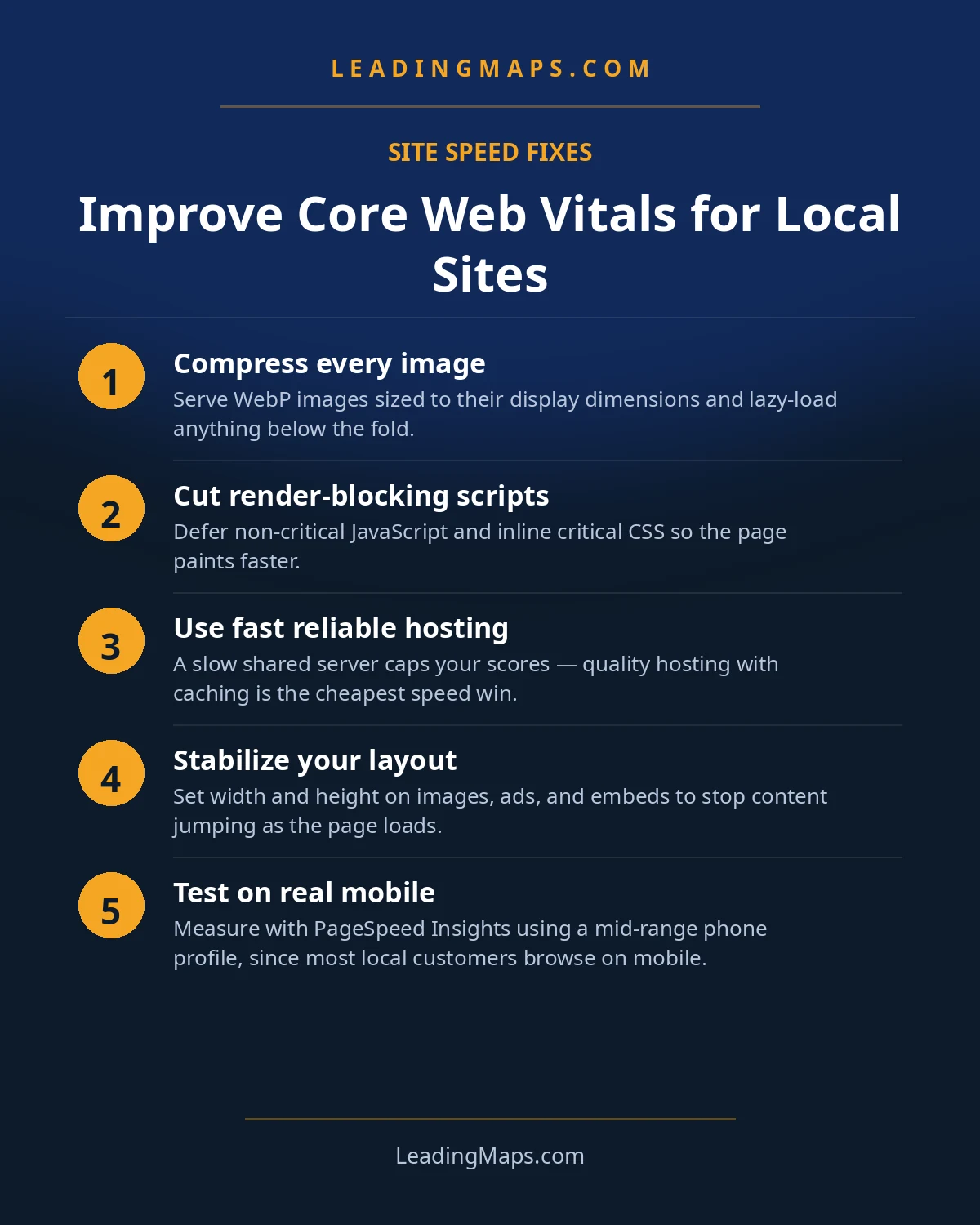
- Build the image pipeline first. WebP conversion, responsive sizes, lazy loading below the fold. The full playbook is our image optimization guide for local search. This one fix often moves the needle more than everything below combined.
- Kill the slider. Replace it with one compressed hero image and a clear headline plus tap-to-call button. The phone number above the fold converts better than rotating slides ever did.
- Upgrade the hosting. If you are on the cheapest shared plan, this is the single biggest infrastructure win. Your server response time is the floor every other fix stands on.
- Defer or delay third-party scripts. Chat widgets, tracking, and quote tools should load after the page's core content, not before it. Load the booking plugin only on the page that has the form.
- Audit the plugin stack. Deactivate everything you do not actively use, then delete it. Two plugins doing the same job is a classic contractor-site find.
- Fix layout shift. Set width and height on images so the page does not jump as they load, and stop injecting banners or popups above content that is already rendered.
- Enable caching and a CDN. Returning visitors and distant visitors both get faster loads. Most quality hosts include this or make it a one-click setting.
After the image pipeline and the slider, retest before doing anything else. Many trade sites pass all three vitals with just those two changes plus decent hosting, which means the rest of the list is optimization, not triage.
How To Test And Keep Watch
Test the pages that carry your traffic: the homepage, one core service page, and your heaviest gallery page. Run each through PageSpeed Insights on mobile first, because that is where your customers are. Then open the Core Web Vitals report in Search Console, which groups your pages by how they score for real visitors over time.
Two habits keep it from sliding back:
- Monthly: glance at the Search Console report. New "poor" URLs usually mean someone uploaded uncompressed photos or installed a plugin.
- Per upload: every image goes through compression before it reaches the site. No exceptions, no "just this once."
Speed decays the same way rankings do: not from one big mistake, but from a hundred small uncompressed uploads. The pipeline is the discipline.
One more practical note: if you work with a web person or an agency, hand them this list in order instead of asking for "better scores." Ask for the image pipeline and the slider removal first, then the hosting question, then script deferral. Vague requests produce vague invoices; an ordered list produces a fixed site. And if a provider tells you speed does not matter for a local business, that is useful information too, about the provider.
The AI-Search Layer: Fast Pages Are Readable Pages
The AI angle on speed is straightforward and rarely stated. AI assistants and AI Overviews can only recommend and summarize pages they can load and parse quickly. A bloated page that takes an AI crawler ten seconds to render, or that buries its key content behind heavy JavaScript, is harder for these systems to use, and a competitor's clean, fast page gets cited instead.
So the same work serves two masters. Keep critical content, your services, your service areas, your phone number, server-rendered in plain HTML, not injected by scripts. Keep pages lean enough that both a phone on one bar and an AI crawler can read them without effort. And make sure the facts worth citing, what you do and where you do it, appear as clear, direct sentences. The full version of that thinking is our AEO and LLM optimization work, but the speed half of it is free: fast, clean pages are what every consumer of your site, human or machine, prefers.
Speed Questions, Answered.
Google's passing thresholds are a Largest Contentful Paint under 2.5 seconds, an Interaction to Next Paint under 200 milliseconds, and a Cumulative Layout Shift score under 0.1. These are measured from real user data in the Chrome User Experience Report, so your scores reflect what actual visitors on phones experience, not a lab simulation.
Core Web Vitals are a confirmed ranking signal, though a modest one next to relevance and proximity factors. For local businesses, the bigger impact is conversion: slow pages lose the call before rankings even matter. Fixing speed improves both, but the lost customers are the more expensive half of the problem.
Uncompressed job photos, by a wide margin. Before-and-after galleries uploaded straight from phones at full resolution make up the bulk of page weight on most trade sites. After images, the usual culprits are page builders, chat widgets, quote and booking plugins, and stacked call-tracking scripts. Our fixes section ranks each by impact.
Run your key pages through PageSpeed Insights for both lab diagnostics and real-world field data, then open Google Search Console's Core Web Vitals report to see how whole groups of pages score across actual visitors. Test the homepage, one service page, and your heaviest gallery page; those three cover nearly all of a contractor site's traffic.
Yes. AI assistants and AI Overviews can only summarize pages they can quickly load and parse, so bloated, slow pages are harder for AI systems to use when recommending a business. Fast, clean, server-rendered pages are a quiet advantage in AI search, and the same emergency mobile users benefit either way.
Site Feels Slow But You Don't Know Why?
Profile, Maps rankings, citations, reviews, competitors, plus whether AI assistants recommend you. A prioritized action plan, free, no pitch.
- AI visibility check, real homeowner prompts across ChatGPT, Perplexity, and AI Overviews, who gets named.
- Proposal scorecard, what your current or prospective agency should be doing, item by item.
- Competitor gap analysis, what the top 3 in your market are doing that you're not.
Get My Free SEO Audit
Delivered within 48 hours. Yours to keep.