Here is the uncomfortable truth about most "my website doesn't rank" complaints from contractors: the pages were never indexed in the first place. You cannot rank a page Google has not added to its index, and indexing failures give you no error message. Your site looks fine to you. To Google, half of it does not exist.
This guide is a diagnostic workflow, not a theory lesson. Step one confirms whether you actually have an indexing problem. Step two reads the tool that tells you the exact cause. Steps three and four walk the six causes we see on contractor sites, with the fix for each. And the last section covers the part nobody mentions: unindexed pages are invisible to AI assistants too.
On This Page
First: Is It Actually An Indexing Problem?
Indexing and ranking are different failures with different fixes. An indexing problem means Google has not added the page to its index at all. A ranking problem means the page is indexed but buried on page four. Fixing the wrong one wastes weeks, so diagnose first:
- Run a site: search. Type
site:yourdomain.cominto Google. The result count is roughly how many of your pages Google has indexed. Compare it to your real page count. - Search the exact URL in quotes. If
"yourdomain.com/plano-plumber"returns nothing, that page is not indexed. - Check Search Console's Page indexing report. It lists every known URL and its status: indexed, or excluded with a reason.
If the page is indexed but not ranking, stop here: you have a relevance or authority problem, not an indexing problem, and our visibility diagnostic is the right guide. If the page is not indexed at all, keep reading.
Reading The URL Inspection Tool
Google's URL Inspection tool is the single source of truth for one page's indexing status. Paste the full URL into the inspection bar at the top of Search Console. What you get back is not a guess; it is Google's own record of your page. Read these fields in order:
- Overall status: "URL is on Google" means eligible to appear. "URL is not on Google" means it cannot appear, full stop.
- Discovery: how Google found the URL, through your sitemap, a referring page, or not at all. "URL is unknown to Google" means it was never discovered.
- Crawl allowed? whether robots.txt blocked the crawler. If blocked, nothing below it matters.
- Indexing allowed? whether a noindex tag or directive is present. Note: if robots.txt blocks the crawl, this always reads "Yes" because Google cannot see the noindex.
- Google-selected canonical: the page Google considers authoritative when it found similar pages. If it points somewhere unexpected, you have a duplication or canonical problem.
The status reason phrases, "Discovered - currently not indexed," "Crawled - currently not indexed," "Blocked by robots.txt," "Excluded by noindex tag," are Google telling you the cause directly. The next section maps each to the contractor-site reality.
The 6 Causes On Contractor Sites
1. Noindex Leftovers From Staging
The most common cause we see. The development site was correctly noindexed, and the tag or the HTTP X-Robots-Tag header carried over at launch. Check your page source for a meta robots noindex tag, and check response headers for X-Robots-Tag. One line of leftover code makes every affected page invisible.
2. Robots.txt Blocks
Open yourdomain.com/robots.txt. Look for Disallow rules covering /service-areas/, /blog/, or the whole site. Staging rules ("Disallow: /") get copied to production more often than anyone admits. If a rule blocks Google from a section you want indexed, the section cannot rank, period.
3. Pages Lost In Redesigns
The new site launched, the old city pages 404 or redirect to the homepage, and internal links still point at the dead URLs. Google follows the links, finds nothing, and drops the pages. Every redesign needs a redirect map: old URL to new URL, one to one, verified after launch.
4. Orphan City Pages
The page exists and is in the sitemap, but nothing on the site links to it. Google discovers most pages by following links; a page with no internal links in is a page Google may never find. This is the number-one reason new city pages sit unindexed for months. Our internal linking guide shows how to fix the architecture.
5. Thin City Pages Google Chose Not To Index
"Crawled - currently not indexed" is Google saying it saw your page and passed. On contractor sites this almost always means thin, templated city pages: the same 300 words with swapped city names. Google has the page and declined it. The fix is substance, not requests: rebuild with real local proof using our service area page system, or merge the page into a stronger one.
6. JavaScript-Rendered Critical Content
If your page builder loads the main content through JavaScript that executes slowly or unreliably, Google may index a shell of the page, or skip it. Use URL Inspection's "view crawled page" to see what Google actually rendered. If your headlines and service descriptions are missing from the rendered HTML, the content needs to be server-rendered, not client-rendered.
Fixing Each Cause, Step By Step
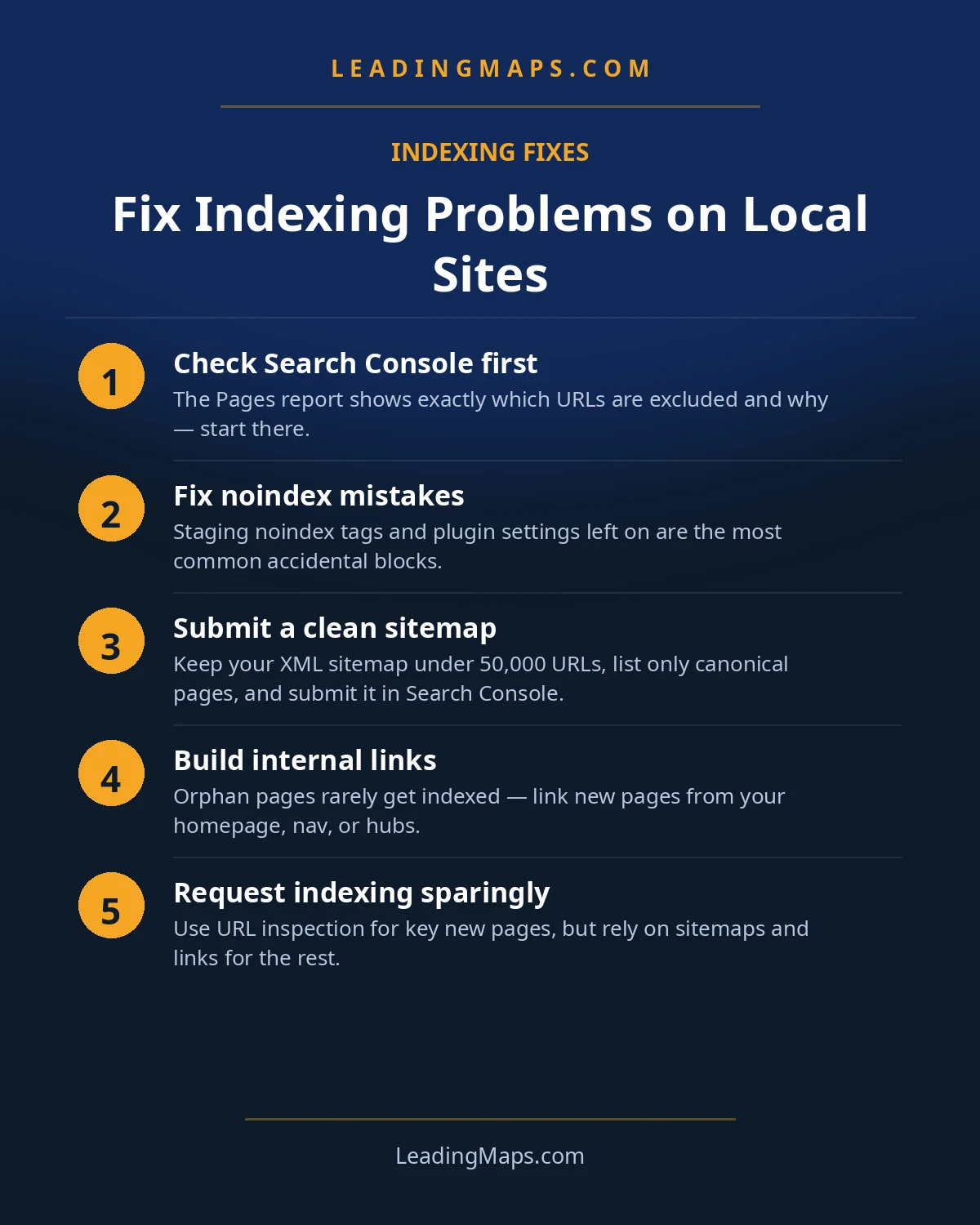
- Noindex: remove the meta tag or header, confirm it is gone in the page source, then use URL Inspection to test the live URL and request indexing.
- robots.txt: remove or narrow the Disallow rule, verify with Search Console's robots.txt tester, then request indexing on affected pages.
- Redesign losses: build the old-to-new 301 map, fix every internal link pointing at dead URLs, resubmit the sitemap, and request indexing for the restored pages.
- Orphans: add contextual internal links from the service-area hub, relevant service pages, and neighboring city pages. Confirm the page is in the XML sitemap. Then request indexing.
- Thin pages: rewrite with genuine local substance or merge into the hub with a 301. Do not request indexing on the same thin page twice; fix the page first.
- JS rendering: move critical content to server-rendered HTML, verify with "view crawled page," then request indexing.
After any fix, validate in URL Inspection with a live test before requesting indexing. "Validate fix" tells Google to recheck; requesting indexing on an unfixed page just burns your daily quota.
Type site:yourdomain.com into Google. That number is the truth about what Google has indexed. Compare it against your sitemap's URL count. The gap between the two is your indexing problem, quantified in one search.
The New-Page Problem: "Discovered, Not Indexed"
"Discovered - currently not indexed" is the status that frustrates contractors most. It means Google knows the URL exists but has not crawled it, usually because the page sits low in the crawl queue. New city pages on smaller sites live here for weeks.
The fix is signals, not button-mashing. Strengthen discovery: internal links from your most authoritative pages, inclusion in the XML sitemap with an accurate lastmod date, and a clean URL structure. Then request indexing for the most important pages; Search Console quotas are daily and limited, so spend them on money pages, not every blog tag archive. A link or two from external sources to your service-area hub also raises crawl priority for everything under it. And give it time: on a healthy small site, most legitimate pages clear the queue within a few weeks once the signals are right.
Keeping It Indexed: Prevention
Indexing problems are cheaper to prevent than to fix. The maintenance list is short:
- Keep a clean XML sitemap with accurate lastmod dates, submitted in Search Console. Google's sitemap documentation covers what belongs in one and what does not.
- Internal-link every new page at publish time. No page goes live as an orphan. This one habit prevents most indexing problems.
- Review the Page indexing report monthly. New exclusions appear here before they cost you rankings.
- Never launch a redesign without a redirect map and a post-launch crawl comparing old URLs to new.
- Keep staging noindexed and production clean, with separate robots handling so one can never leak into the other.
The AI-Search Layer: Unindexed Means Invisible To AI Too
Here is the consequence nobody mentions. AI Overviews and AI assistants can only cite pages Google has indexed and rendered. An indexing problem does not just remove you from classic search results; it silently removes you from AI-generated answers too. When a homeowner asks ChatGPT for a plumber and your city page was never indexed, you were never in the candidate pool.
The flip side is the opportunity: once pages are indexed, clear question-and-answer content plus valid structured data makes them citable by AI systems. Keep critical content server-rendered so both Googlebot and AI crawlers can parse it without executing fragile JavaScript. Indexing is the entry ticket; direct answers and clean markup are what get you quoted. Our AEO and LLM optimization service builds on exactly this foundation, and our AI-search guide explains how homeowners actually find contractors through AI now.
Indexing Questions, Answered.
Three ways, fastest first: search site:yourdomain.com/pagename on Google; paste the URL into Search Console's URL Inspection tool, which reports 'URL is on Google' or the exact reason it is not; or check the Page indexing report for site-wide status. URL Inspection is the source of truth because it shows Google's actual indexed version.
It means Google found your URL but has not crawled it yet, usually because the page sits low in the crawl queue. It is common for new pages on smaller sites. Fix it by strengthening discovery signals: internal links from important pages, inclusion in your XML sitemap with an accurate lastmod date, and then request indexing in Search Console.
Yes, and it is one of the most common causes on contractor sites. If the staging site used a noindex tag or an HTTP X-Robots-Tag header and it carried over at launch, every affected page is invisible to Google. Check your page source and response headers, remove the tag, then use URL Inspection to validate the fix and request reindexing.
Anywhere from a few days to a few weeks for most small business pages, depending on crawl frequency and internal link support. Pages linked from your homepage get found fastest. If a new page is still unindexed after a month, treat it as a signal problem: weak links, thin content, or a technical block.
Google will not crawl a robots.txt-blocked page, but it can still index the URL if other sites link to it, showing it without a description. Either way the page cannot rank or appear in AI answers. If you want a page indexed, remove the robots.txt block; if you want it hidden, use noindex instead, which requires allowing the crawl.
Invisible To Google Means Invisible To Customers.
We diagnose exactly why your pages are not indexed, map every technical block, benchmark your site against the top 3 contractors in your market, and check whether AI assistants can find you. Free, no pitch.
- Indexing diagnosis, which pages are missing from Google's index and the exact cause for each.
- AI visibility check, real homeowner prompts across ChatGPT, Perplexity, and AI Overviews, who gets named.
- Competitor gap analysis, what the top 3 in your market are doing that you're not.
Get My Free SEO Audit
Delivered within 48 hours. Yours to keep.