Internal linking is the most undervalued lever in local SEO. Not because it is complicated, it is not, but because contractor websites grow by accident: a service page here, a city page there, a blog post from 2022 nobody ever linked to. The result is a site Google cannot fully crawl, visitors cannot fully navigate, and AI assistants cannot fully understand.
This guide gives you the blueprint built for home-service trades: the services-by-cities matrix, the hub-and-spoke pattern, anchor-text rules that prevent cannibalization, and a 30-minute audit in Search Console that finds your orphan pages. Plus the part nobody else covers: how your link architecture feeds AI search.
On This Page
- Why internal links matter more on local sites
- The blueprint: the services-by-cities matrix
- Hub-and-spoke for service areas
- Anchor-text rules that prevent cannibalization
- The 30-minute internal link audit
- Push authority from your strongest pages
- The 5 mistakes that waste your links
- The AI-search layer: links as entity signals
- FAQ
Why Internal Links Matter More On Local Sites
Internal links do three jobs. They help Google discover pages it has not crawled yet. They tell Google what each page is about, through the anchor text. And they distribute authority from strong pages to the ones that need it. On a local trades site, the first job matters most, because city pages are the classic orphan: published, sitting in the sitemap, and linked from absolutely nowhere.
Backlinko's internal linking guide puts it plainly: internal links help Google find, index, and understand all the pages on your site, and they prevent orphan pages, pages with no internal links pointing to them. On a contractor site with forty city pages, five or ten of those pages are usually orphans right now. Every orphan is a city you serve on paper and not in Google's index.
The Blueprint: The Services-By-Cities Matrix
Draw the grid. Rows are your services: drain cleaning, water heater install, emergency plumbing. Columns are your cities: Plano, Frisco, Allen. Your site architecture should mirror this matrix:
- Service hub pages link down to every individual service page. Your plumbing services page links to drain cleaning, water heater install, and sewer repair.
- Service-area hub page links to every city page. One "Areas We Serve" page is the parent of the whole column.
- Each city page links to the services you offer there, and each service page links to the cities where you offer it. Both directions.
- Blog posts link to the money pages they mention. A post about frozen pipes should link to your emergency plumbing page and to the city pages where freezes happen.
- Every money page sits within two or three clicks of the homepage. Count the clicks. If a city page takes five, the architecture is broken.
You do not need a separate page for every cell of the grid. A service page linked to a city page covers the intersection just fine, unless a service-city combination is competitive enough to deserve its own page. The matrix is the map, not the mandate.
Hub-And-Spoke For Service Areas
The service-area column of the matrix deserves its own pattern. Build the "Areas We Serve" hub, hang each city page under it, and let every city page link back to the hub plus two or three genuinely neighboring cities, the way a real service map works. This is a browseable hierarchy, which matters for two reasons: it is the opposite of what Google's doorway policy targets, and it makes every city page reachable within two clicks of the homepage.
The full system, including the local-proof requirements that keep city pages from looking like doorways, is in our service area page guide. Structure without substance still fails; substance without structure never gets crawled.
Anchor-Text Rules That Prevent Cannibalization
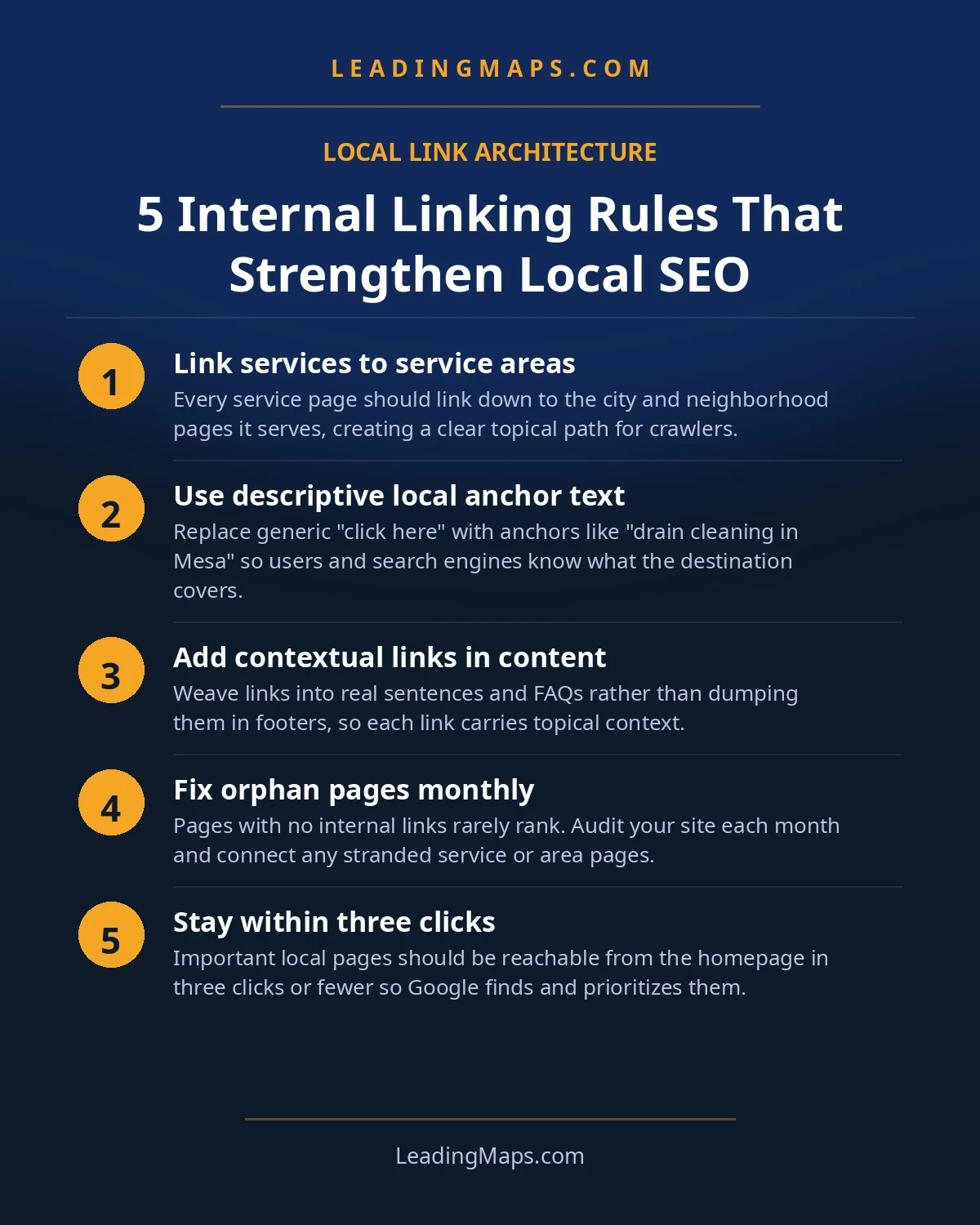
Anchor text is the clickable words on the link. It tells the reader and Google what the linked page covers. Four rules keep it working for you instead of against you:
- Be descriptive. "Emergency plumber in Plano" tells everyone exactly where the link goes. "Click here" tells nobody.
- Match the anchor to the page's topic. City pages get city-inclusive anchors ("drain cleaning in Frisco"); service pages get service anchors ("water heater installation"). The anchor should read like a shorter version of the page's title.
- Never point the same anchor at two different pages. If "plumber in Plano" links to both your Plano city page and your homepage, Google cannot tell which page owns the topic, and neither page ranks as well as it should. One anchor, one destination.
- Vary your anchors. "Plano plumber," "plumbing services in Plano," "emergency plumber in Plano" can all point to the same page. Identical anchors everywhere look manufactured; natural variation looks like a real site.
Internal anchors are one of the few places where exact-match phrasing is safe, far safer than in backlinks. Use that freedom, but keep it readable. If the sentence sounds like it was written for a crawler, rewrite it for the homeowner.
The 30-Minute Internal Link Audit
You do not need paid tools. Open Google Search Console, go to Links, and look at "Top linked pages" under the internal tab. This shows which pages get the most internal links. On most contractor sites the pattern is depressing: the homepage, contact page, and about page soak up hundreds of links from the nav and footer, while half the city pages have two.
- Export the internal links report and sort by link count, lowest first. The pages at the bottom are your suspects.
- Cross-check against your city and service pages. Any money page with fewer than three internal links in is underlinked.
- Check click depth. A free Screaming Frog crawl shows how many clicks each page sits from the homepage. Anything past three clicks needs a shortcut.
- Fix with contextual links, not footer dumps. Add the orphan city page into the body copy of the service-area hub, the relevant service pages, and neighboring city pages.
- Repeat quarterly. Every new page you publish creates new orphans unless you go back and link it in.
Every service page and every city page should be reachable within three clicks of your homepage. If a page takes more clicks to find than it takes to fix a faucet, Google is not finding it either.
Push Authority From Your Strongest Pages
Your homepage is almost certainly the most authoritative page on your site: it holds the most backlinks and the most internal link equity. Spend it deliberately. Link from the homepage, or from sitewide navigation, to your service hub and your service-area hub. Those hubs then distribute that authority down to every service and city page.
Two habits compound this over time. First, every new blog post should link to the money pages it naturally mentions; publishing without internal links is publishing into a void. Second, revisit old posts when you publish new pages and add links backward. Five minutes per old post, done quarterly, is how a site's internal link graph stays healthy as it grows. And check that your internal links are actually followable: some plugins add nofollow to internal links by mistake, which quietly blocks the authority flow you are trying to build.
The 5 Mistakes That Waste Your Links
- Orphan city pages. Published, in the sitemap, linked from nowhere. The single most common internal-linking failure on contractor sites.
- Same anchor, two destinations. Splits the topic signal and weakens both pages. Audit your anchors when you audit your links.
- Nofollowed internal links. Usually a plugin bug, occasionally a theme default. Internal nofollows serve no purpose; find them and remove them.
- Automated linking plugins. They add links without strategy and can generate thousands of identical exact-match anchors overnight. Link by hand, with intent.
- The mega-footer. A footer stuffed with keyword-rich links to every city page looks like manipulation and dilutes the links that matter. Keep footers navigational, and put your strategic links in body content.
The AI-Search Layer: Links As Entity Signals
Here is the dimension the ranking guides skip. AI assistants and AI Overviews do not just read pages; they resolve entities. When someone asks ChatGPT for a plumber in Plano, the system has to connect "your business" to "plumbing" to "Plano" with enough confidence to recommend you. Clean site architecture and explicit relationships are how it builds that confidence.
Your internal links are those relationships, stated in machine-readable form. Descriptive anchors ("emergency plumber in Plano") are entity statements. Breadcrumb structured data declares each page's position in your hierarchy. Hub pages group your services and markets into clean clusters. Together they create the knowledge-graph-style understanding AI search uses to attribute facts to your business, which is how you end up named in AI answers instead of your competitor. The professional version, testing real homeowner prompts across AI platforms, is our AEO and LLM optimization service. For the bigger picture, read how AI search is changing local SEO.
Internal Linking Questions, Answered.
There is no magic number. What matters is that every money page, every service page and every city page, is reachable within three clicks of the homepage and has several descriptive links pointing in. Most contractor sites are underlinked, not overlinked. Focus on coverage and relevance first; worry about dilution only if a single page carries hundreds of links.
Use descriptive, varied anchor text that tells the reader and Google what the linked page covers: 'emergency plumber in Plano' for a city page, 'drain cleaning services' for a service page. Avoid pointing the same anchor at two different pages, which confuses Google about which page owns the topic.
Often, yes. A page Google never discovered is an orphan page problem, and internal links are the fix: link to it from a relevant service page, the service-area hub, and the XML sitemap. Then request indexing in Search Console. Links tell Google the page exists and that it matters; both speed up indexing.
Both directions. Service pages should link down to the city pages they cover, and city pages should link back up to the service page and sideways to neighboring cities. This hub-and-spoke pattern tells Google exactly how your services and markets relate, and it keeps every page within two clicks of your strongest pages.
Yes, in a new way. AI assistants and AI Overviews rely on clean site architecture and explicit relationships to attribute facts to a business. Descriptive internal anchors, breadcrumbs, and hub pages are the entity signals that tell AI systems who you are, what you do, and where, which is how you get recommended in AI answers.
Pages Google Can't Find Can't Rank.
We map your internal link structure, flag the orphan and underlinked pages, and benchmark your architecture against the top 3 contractors in your market, plus whether AI assistants can resolve your business. Free, no pitch.
- Link structure map, which money pages are orphaned, buried, or starved of internal links.
- AI visibility check, real homeowner prompts across ChatGPT, Perplexity, and AI Overviews, who gets named.
- Competitor gap analysis, what the top 3 in your market are doing that you're not.
Get My Free SEO Audit
Delivered within 48 hours. Yours to keep.